Composer Tools

Unified MIDI rack, built for composers.

The rack is the instrument.

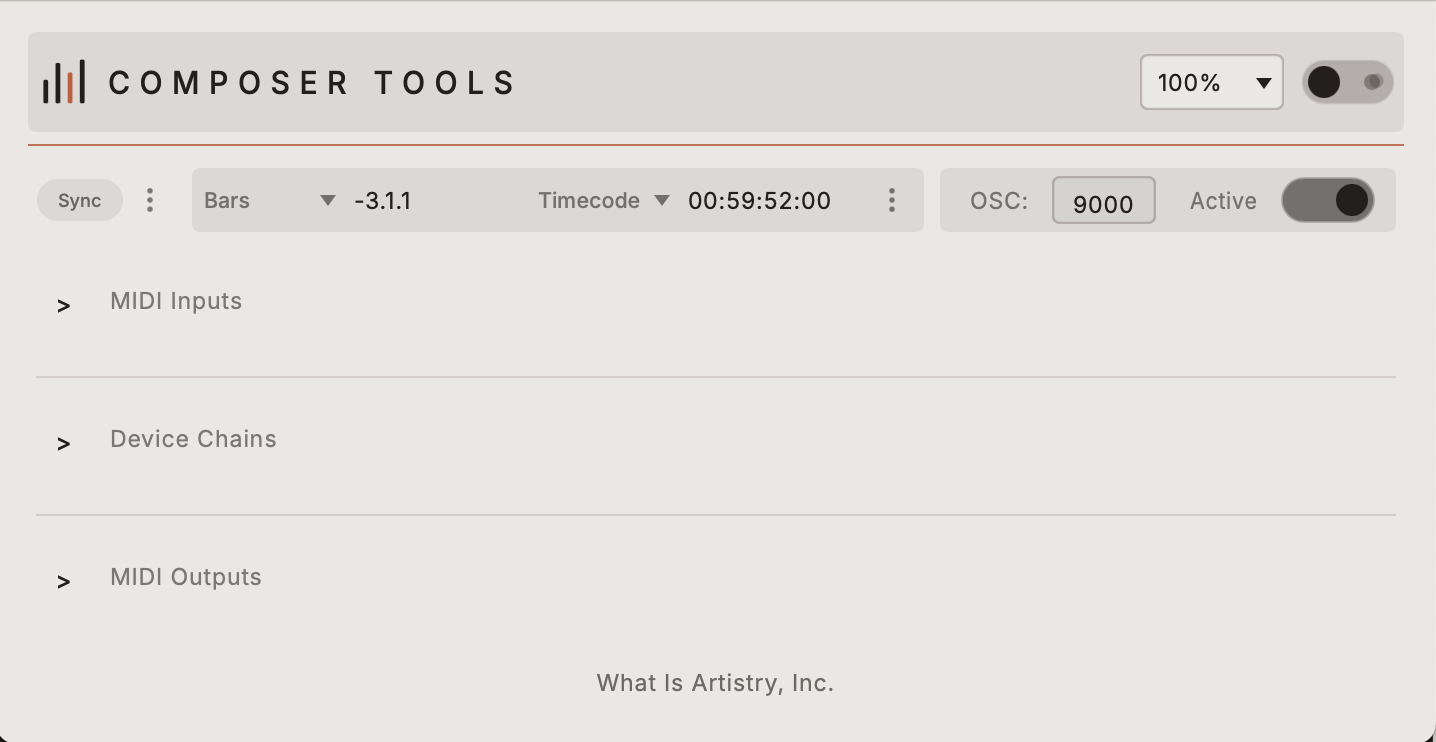
Composer Tools host window, showing MIDI Inputs, Device Chains, and MIDI Outputs
Composer Tools

A real-time MIDI utility and performance surface that solves problems inside your DAW, speeds up your workflow, and sparks new creative ideas. Slaved live to your DAW's transport, the rack is a fully customizable MIDI environment — built to make I/O routing, device chains, performance, and experimentation seamless.

  • Fully customizable MIDI I/O routing and recall mapping
  • Named device chains with first-party built-in effects devices, as well as a platform for building your own
  • Live DAW slave sync supporting MTC, MMC, and SMPTE Clock modes
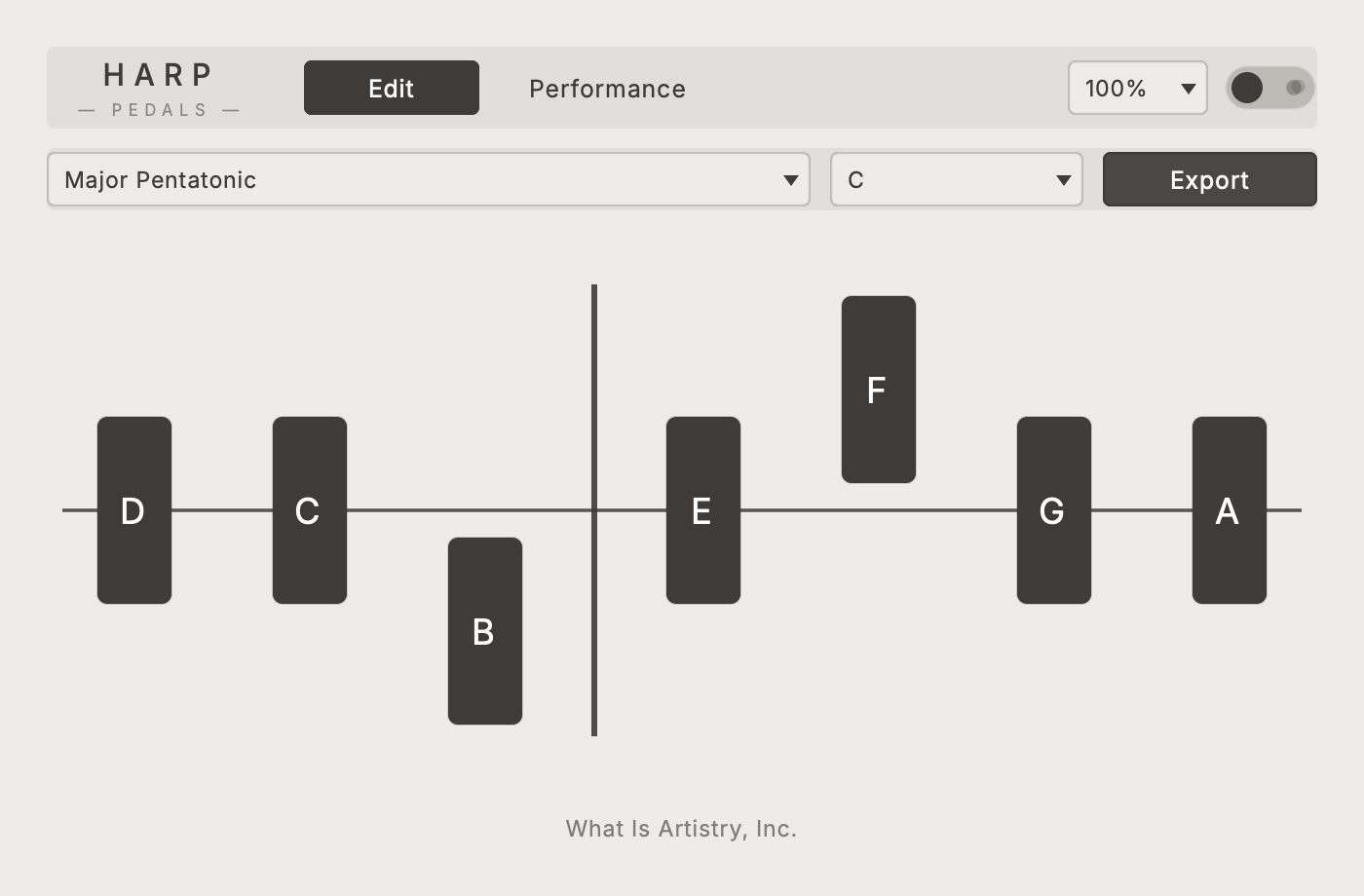
Harp Pedals interface
Harp Pedals
Harp Pedals

MIDI note quantizer — perform on your harp VSTs the way they were meant to be played.

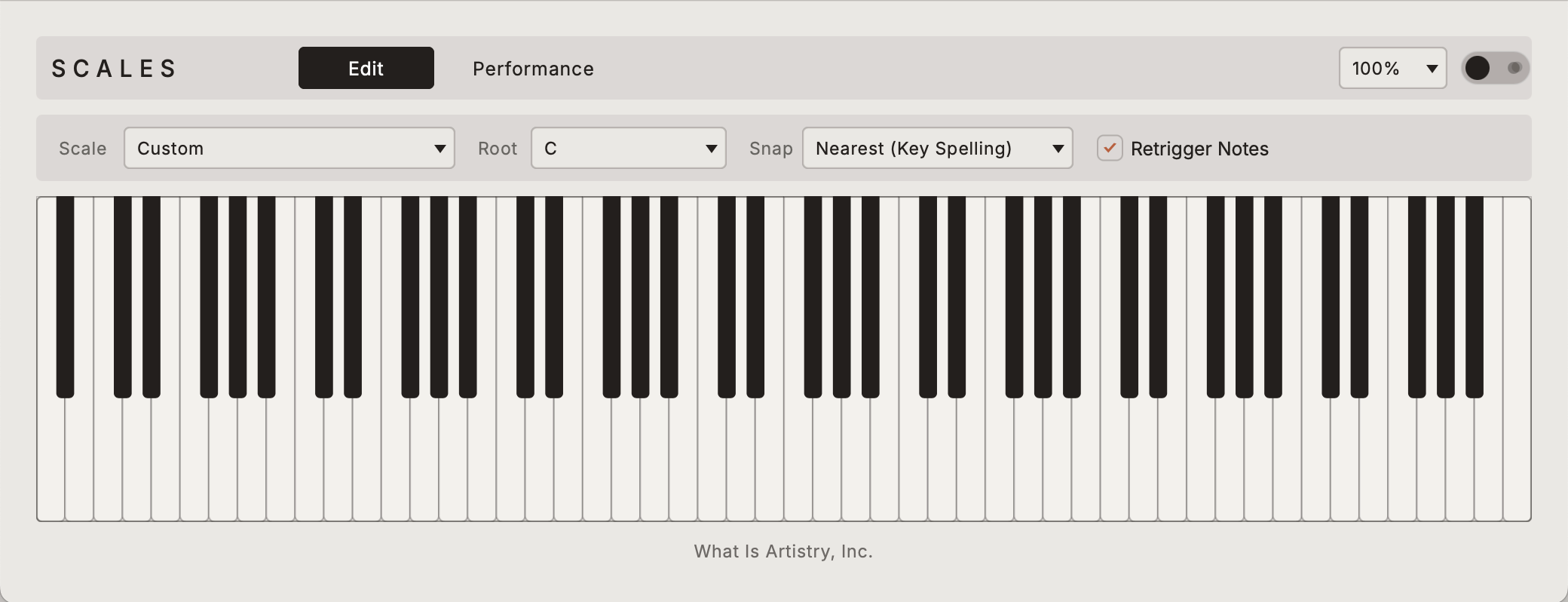
Scales interface
Scales
Scales

Independent MIDI scale quantizer with fully mappable recall modes, custom scales, key centers, and performance logic.

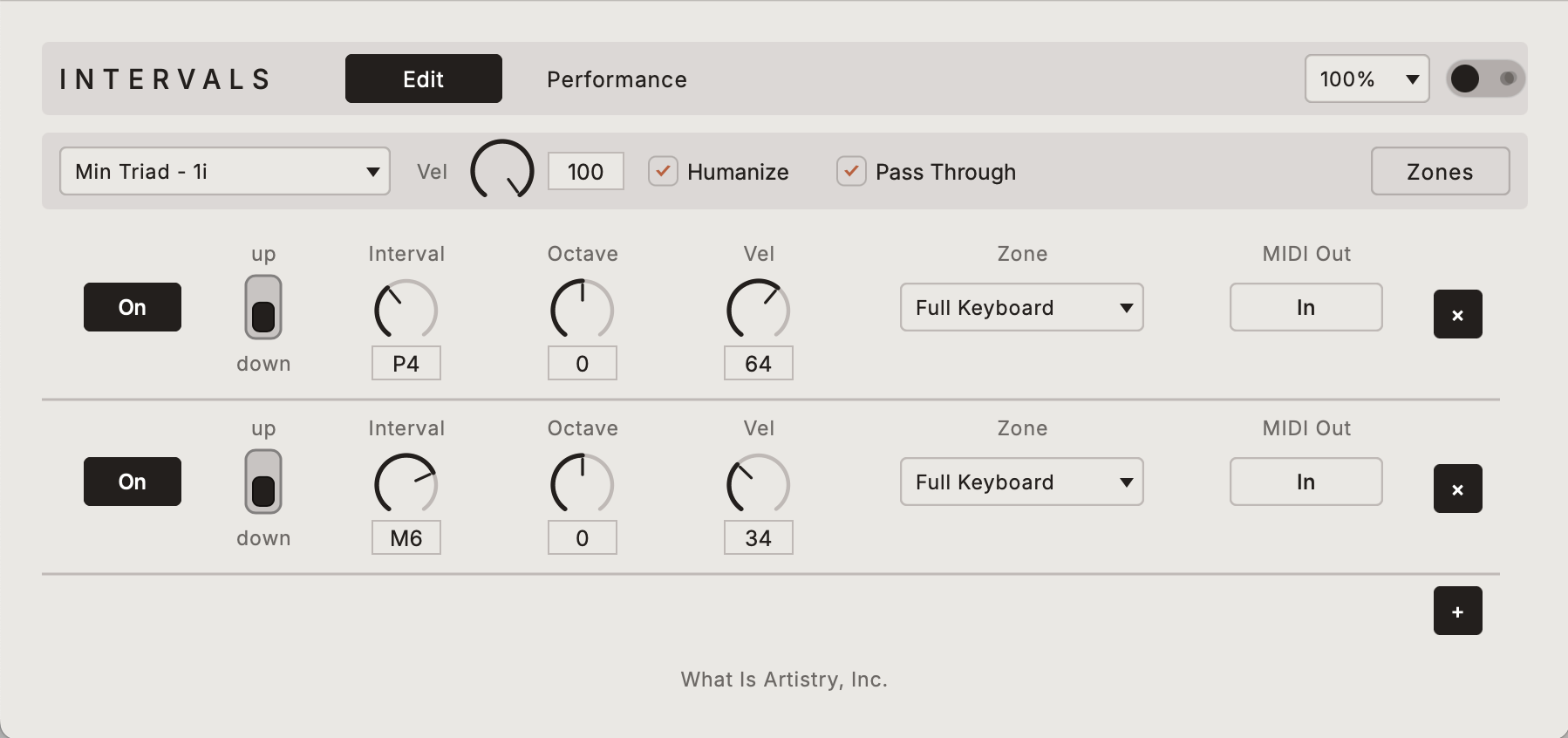
Intervals interface
Intervals
Intervals

A multi-interval transposition system that transforms incoming MIDI across up to 12 slots — each with fully independent direction, octave displacement, velocity, channel, and mapping capabilities.

Get the beta.

macOS · Intel & Apple Silicon · Composer Tools 1.3.0 · Signed & notarized closed beta

Don't have a code? Email whatisartistry@gmail.com to request beta access.

Install Instructions
Open the disk image
Double-click Composer-Tools-1.3.0.dmg.
Install the app
Drag Composer Tools onto the Applications shortcut in the disk image window (or into your Applications folder).
Launch Composer Tools
Open it from Applications. Harp Pedals, Scales, and Intervals install themselves into ~/Library/ComposerTools/Devices/ on first use — no manual copy step.
Confirm devices (optional)
Devices → Rescan Devices… if you want to confirm they appear. Later updates: Devices → Check for Device Updates…
If macOS won't open it: right-click the app → Open → Open, or go to System Settings → Privacy & Security → Open Anyway. This is a signed, notarized build — this step is only needed the very first time you launch it.
MIDI Setup Instructions

Connecting a USB MIDI keyboard or other MIDI hardware to Composer Tools and your DAW? The full walkthrough — macOS's virtual MIDI cable, device chains, and troubleshooting — has its own guide.

Open the MIDI Setup Guide →

Tell us what broke.

Send beta feedback →